Theme Adapters for Bootstrap, MUI, and shadcn/ui
In addition to its predefined themes, SurveyJS includes theme adapters for popular UI frameworks and design systems.
A theme adapter is a lightweight stylesheet that maps SurveyJS design tokens to framework-specific styles and provides additional styles for SurveyJS UI components that the framework does not provide. It makes SurveyJS components match the look and feel of your application without custom CSS.
SurveyJS provides theme adapters for Bootstrap, MUI, and shadcn/ui out of the box.
Bootstrap
The Bootstrap theme adapter applies Bootstrap's typography, colors, spacing, and form control styles to SurveyJS components, making surveys appear as a natural part of Bootstrap-based applications.
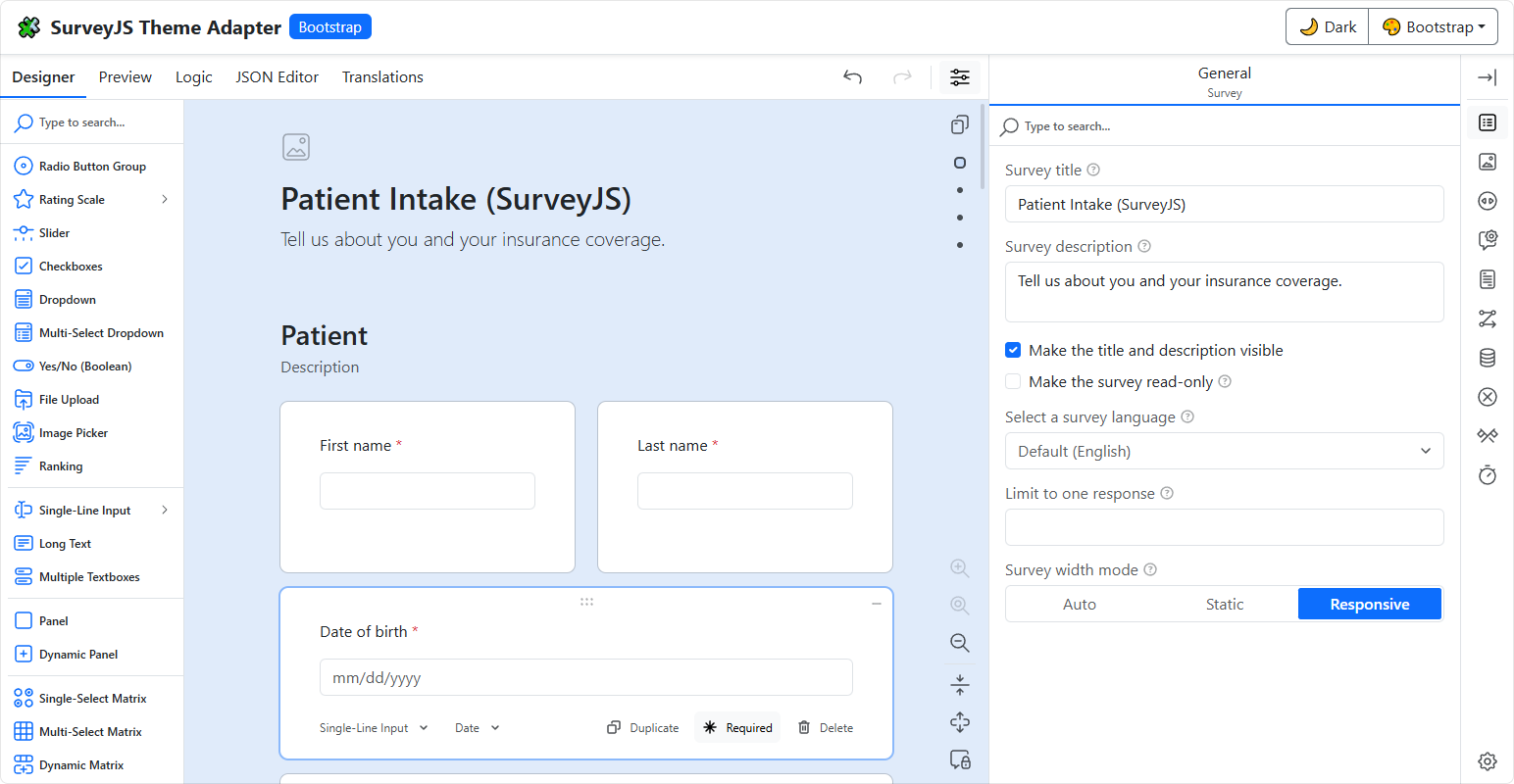
To use the Bootstrap theme adapter, import or reference its CSS file:
// Modular applications
import "survey-core/themes/adapters/bootstrap.css";
<!-- Classic script applications -->
<link href="https://unpkg.com/survey-core/themes/adapters/bootstrap.min.css" rel="stylesheet">
Material UI (MUI)
The Material UI (MUI) theme adapter aligns SurveyJS components with your application's MUI theme, including typography, colors, spacing, and component styling.
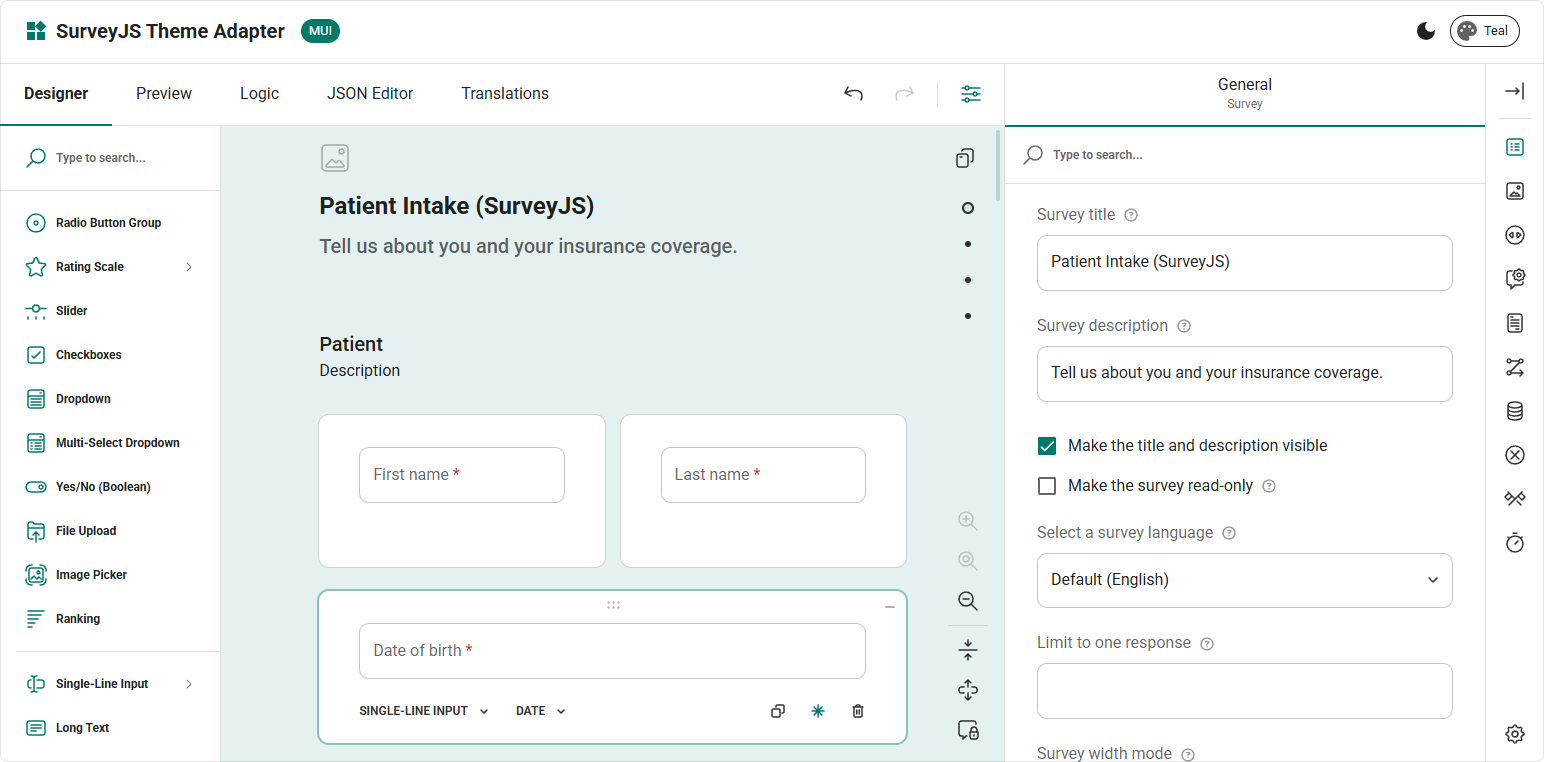
To use the MUI theme adapter, import or reference its CSS file:
// Modular applications
import "survey-core/themes/adapters/mui.css";
<!-- Classic script applications -->
<link href="https://unpkg.com/survey-core/themes/adapters/mui.min.css" rel="stylesheet">
shadcn/ui
The shadcn/ui theme adapters make SurveyJS components match the visual style of your shadcn/ui application. Because shadcn/ui supports multiple visual styles, SurveyJS provides a separate adapter for each one.
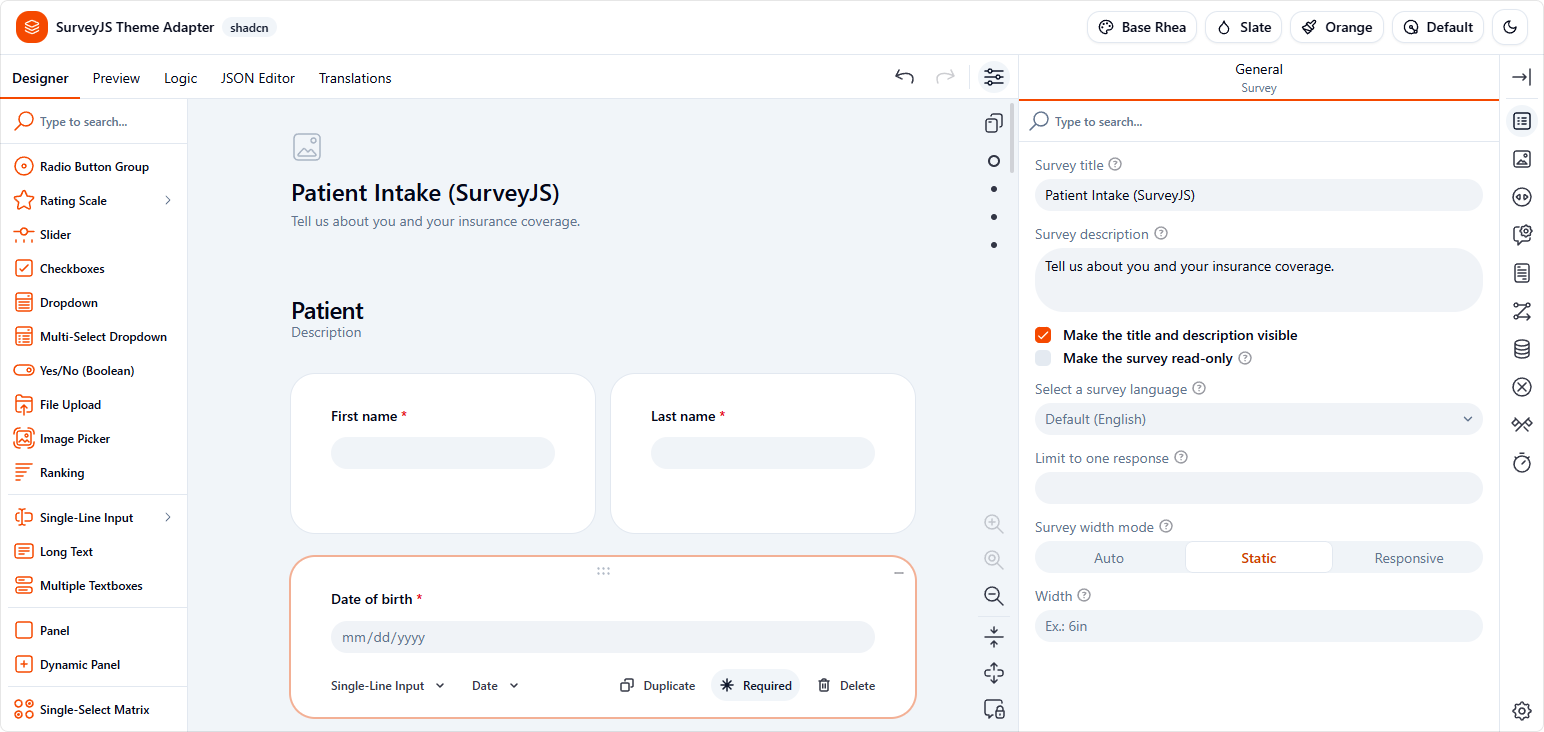
Import or reference the CSS file for your application's visual style. Import or reference only one adapter.
// Modular applications
import "survey-core/themes/adapters/shadcn-base-default.css";
import "survey-core/themes/adapters/shadcn-new-york.css";
import "survey-core/themes/adapters/shadcn-base-luma.css";
import "survey-core/themes/adapters/shadcn-base-lyra.css";
import "survey-core/themes/adapters/shadcn-base-maia.css";
import "survey-core/themes/adapters/shadcn-base-mira.css";
import "survey-core/themes/adapters/shadcn-base-nova.css";
import "survey-core/themes/adapters/shadcn-base-rhea.css";
import "survey-core/themes/adapters/shadcn-base-sera.css";
import "survey-core/themes/adapters/shadcn-base-vega.css";
<!-- Classic script applications -->
<link href="https://unpkg.com/survey-core/themes/adapters/shadcn-base-default.min.css" rel="stylesheet">
<link href="https://unpkg.com/survey-core/themes/adapters/shadcn-new-york.min.css" rel="stylesheet">
<link href="https://unpkg.com/survey-core/themes/adapters/shadcn-base-luma.min.css" rel="stylesheet">
<link href="https://unpkg.com/survey-core/themes/adapters/shadcn-base-lyra.min.css" rel="stylesheet">
<link href="https://unpkg.com/survey-core/themes/adapters/shadcn-base-maia.min.css" rel="stylesheet">
<link href="https://unpkg.com/survey-core/themes/adapters/shadcn-base-mira.min.css" rel="stylesheet">
<link href="https://unpkg.com/survey-core/themes/adapters/shadcn-base-nova.min.css" rel="stylesheet">
<link href="https://unpkg.com/survey-core/themes/adapters/shadcn-base-rhea.min.css" rel="stylesheet">
<link href="https://unpkg.com/survey-core/themes/adapters/shadcn-base-sera.min.css" rel="stylesheet">
<link href="https://unpkg.com/survey-core/themes/adapters/shadcn-base-vega.min.css" rel="stylesheet">
See Also
Send feedback to the SurveyJS team
Need help? Visit our support page