Make SurveyJS Look Like Part
of Your Application

SurveyJS libraries — Form Library, Survey Creator, PDF Generator, and Dashboard — now share a coordinated token architecture based on CSS variables. Instead of changing individual CSS rules throughout each library, developers can modify a defined set of values that control the overall appearance.
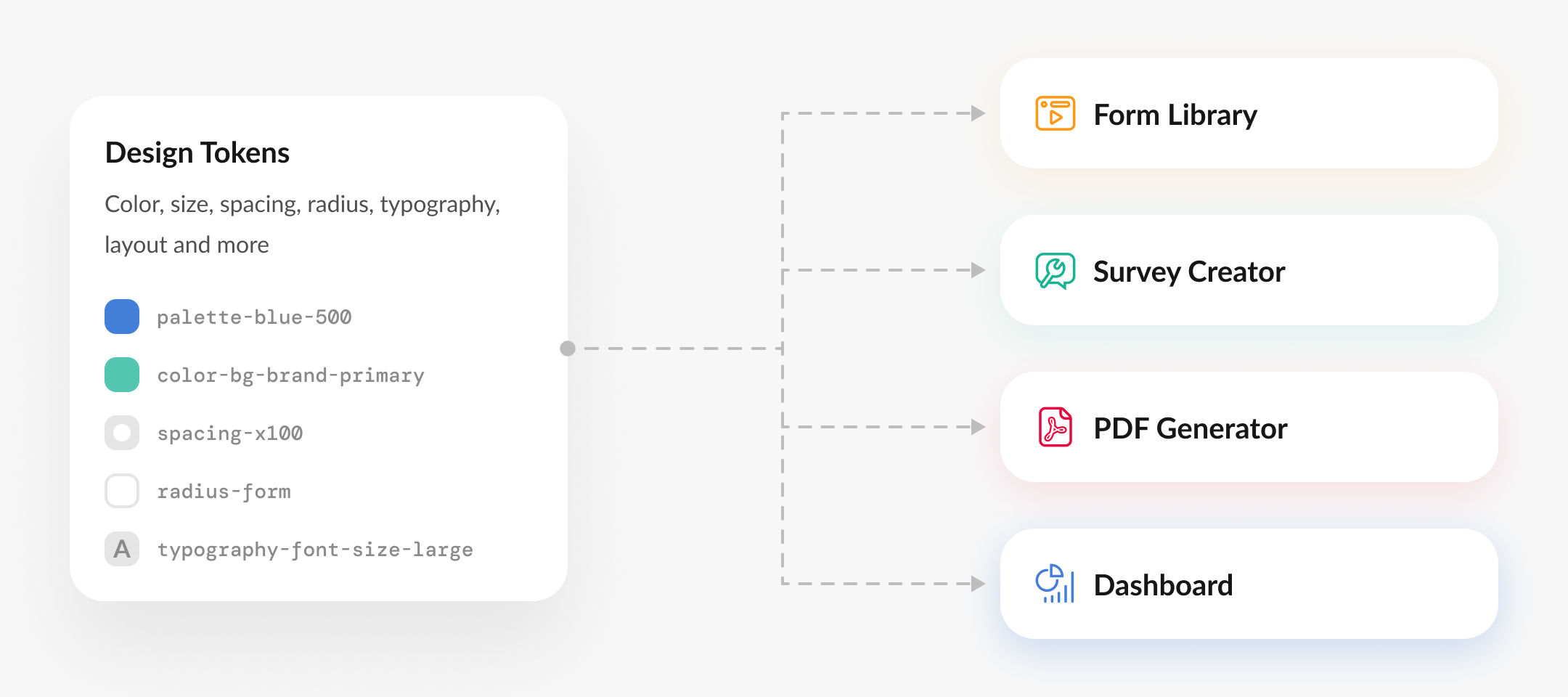
Consistent styling across products
Easy theme sharing
Modern design systems approach

Ready-to-Use Adapters for Standard
Design Libraries

If your product uses Bootstrap, Material UI, or shadcn/ui, you can use a theme adapter. These adapters are CSS mapping files that connect the variables used by the host design system to the corresponding SurveyJS design tokens with minimal CSS work.

Source Code and Demo Repository

Browse all adapter demos, inspect their setup, and run each example locally from the GitHub repository.

View Repository

For Custom or Heavily Modified Applications

Many teams extend Bootstrap, Material UI, or shadcn/ui with custom branding, proprietary components, and internal design rules. For these custom or hybrid setups, SurveyJS provides curated AI prompt packs that help AI assistants inspect the codebase and generate more precise styling adjustments.

Cursor
GitHub Copilot
ChatGPT
Claude

AI Agent Workflow

Best for applications with a custom design system or a substantially modified framework setup.

Inspects the app's actual styles Reviews the application's CSS, components, and design tokens.
Compares those styles with the SurveyJS design tokens Creates a mapping that connects the application's effective design system to SurveyJS tokens.
Generates styling adjustments Generates the CSS mappings or overrides required to align SurveyJS with the application.
View Prompts for AI-Assisted Adaptation

Still Got Questions?

Check our FAQ or Contact Us

Ready to Try?

Get Started Get Started

Your cookie settings

We use cookies to make your browsing experience more convenient and personal. Some cookies are essential, while others help us analyse traffic. Your personal data and cookies may be used for ad personalization. By clicking “Accept All”, you consent to the use of all cookies as described in our Terms of Use and Privacy Statement. You can manage your preferences in “Cookie settings.”

Your renewal subscription expires soon.

Since the license is perpetual, you will still have permanent access to the product versions released within the first 12 month of the original purchase date.

If you wish to continue receiving technical support from our Help Desk specialists and maintain access to the latest product updates, make sure to renew your subscription by clicking the "Renew" button below.

Your renewal subscription has expired.

Since the license is perpetual, you will still have permanent access to the product versions released within the first 12 month of the original purchase date.

If you wish to continue receiving technical support from our Help Desk specialists and maintain access to the latest product updates, make sure to renew your subscription by clicking the "Renew" button below.